Set direction
Define where the organization is going and create shared context for strategic decisions.
- ✓ Organizational foundations
- ✓ Three-Year Vision
- ✓ One-Year Plan
- ✓ Annual and mid-year planning
Organizational execution software
Peak OS is a business operating system and organizational execution platform that connects strategic planning, OKRs, meetings, metrics, decisions, ownership, and accountability in one shared system.
Why execution becomes fragmented
Strategic plans, goals, meetings, metrics, and project tools often operate separately—making organizational execution harder to see and coordinate.
Peak OS replaces fragmented execution visibility with one shared system connecting company direction through team delivery.
Peak OS supports the Execution Cycle—Review → Learn → Plan → Act—and connects it across annual, semiannual / quarterly, and weekly cadences. Direction, priorities, OKRs, metrics, meetings, decisions, and actions remain visible within one shared execution system.
One connected business operating system
Peak OS connects strategic planning, OKRs, team priorities, business meetings, metrics, issues, decisions, and accountability in one organizational execution platform.
A company priority can connect to a team objective. An objective can connect to a metric. A meeting issue can become a decision, action, and owned commitment.
Define where the organization is going and create shared context for strategic decisions.
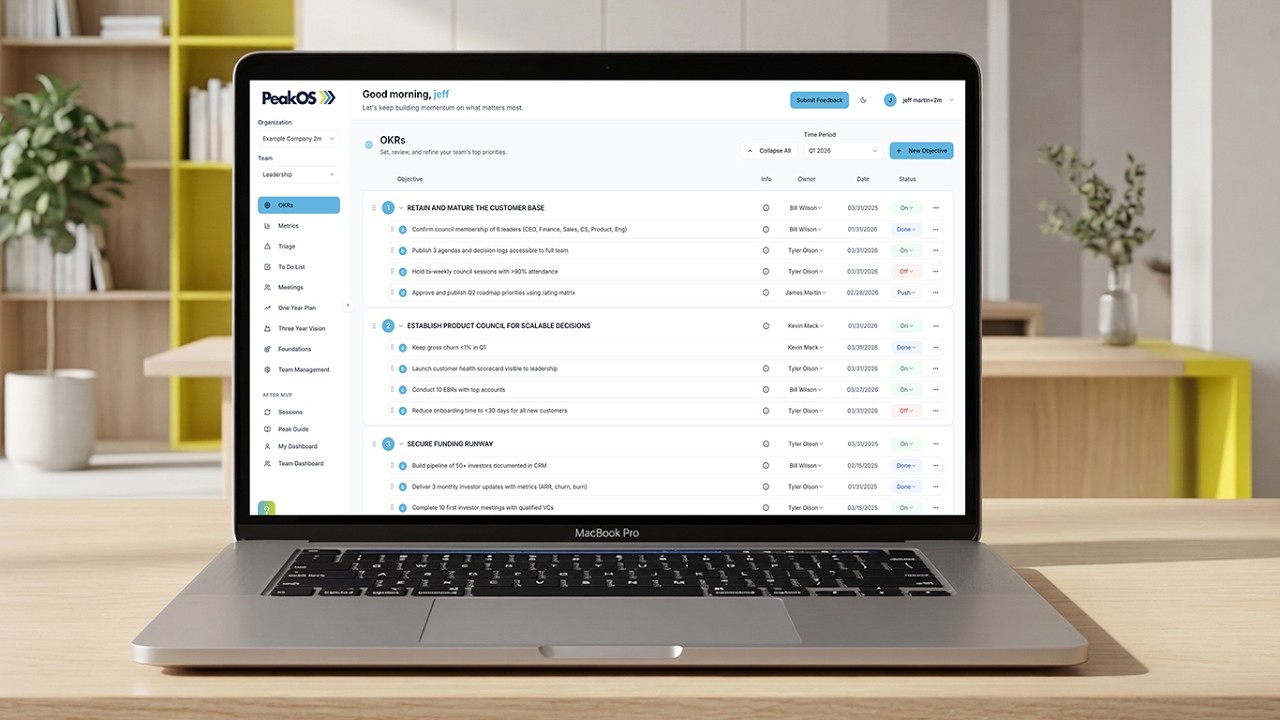
Translate strategic direction into measurable priorities, owners, and coordinated commitments.
Use a shared Operating Rhythm to review progress, learn from signals, resolve issues, make decisions, and maintain follow-through.
Create visibility into progress and risks so teams can adjust as conditions, priorities, and information change.
Peak OS replaces fragmented planning, OKR, meeting, metrics, and accountability tools with one flexible company operating system.
Built for every team
Peak OS is organizational execution software built for teams of teams. Connect company direction, leadership, functions, cross-functional initiatives, roles, and accountability in one flexible company operating system.
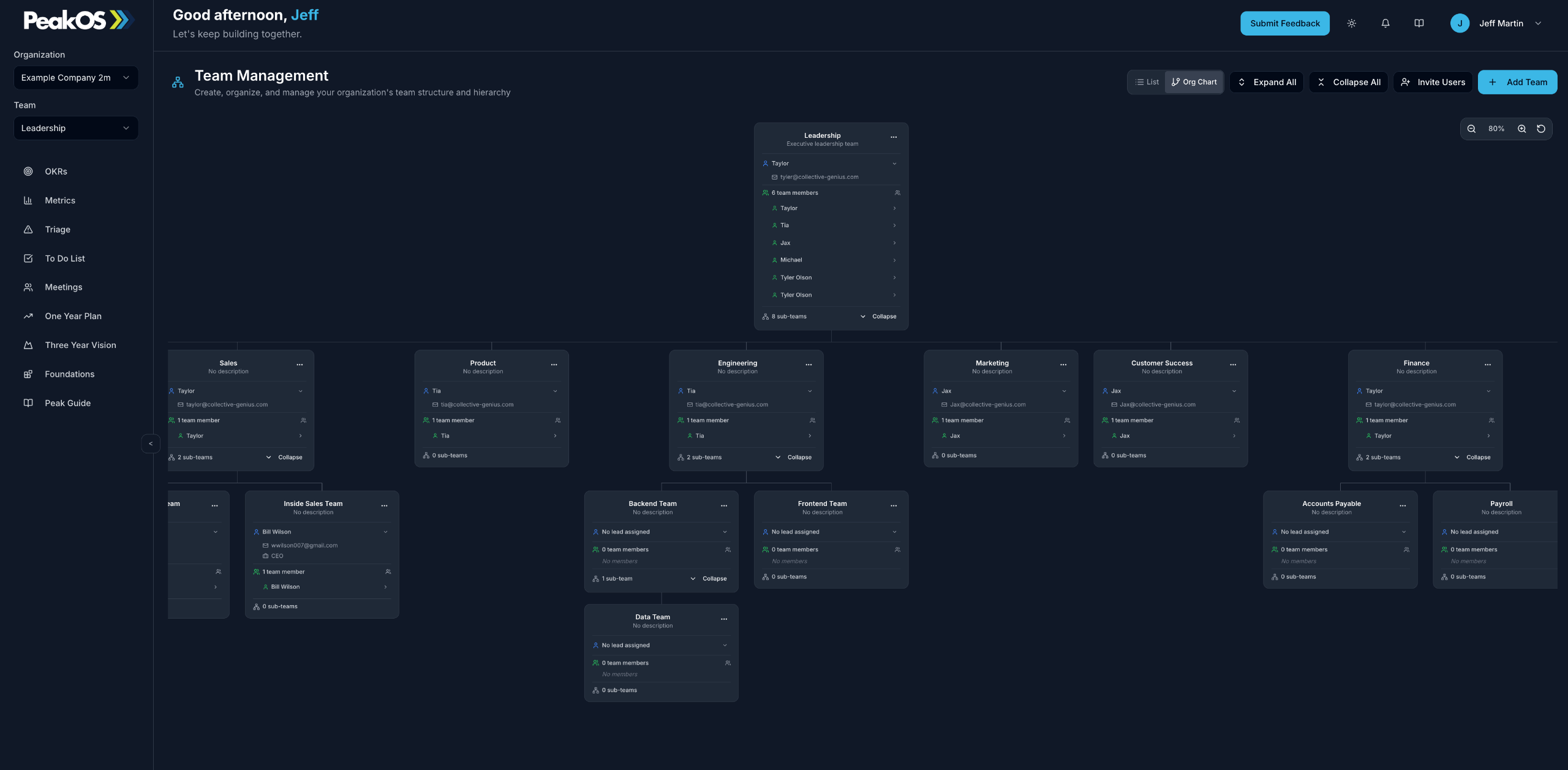
Keep company, leadership, functional, and cross-functional teams connected without forcing every team into the same structure or operating cadence.
Organization-wide execution
Peak OS gives each team a practical way to plan, meet, measure progress, resolve issues, and follow through—while remaining connected to the organization’s direction.
Connect company direction to the priorities and commitments of every team.
Make shared ownership, dependencies, and commitments across teams easier to see.
Let leadership, functions, and operating teams use the planning and meeting cadence their work requires.
Manage users, roles, ownership, team access, and view-only participation as the organization scales.
Peak OS creates enough structure to maintain alignment and accountability while giving each team the flexibility to execute effectively.
Strategy execution software
Peak OS connects organizational foundations, the One-Year Plan, and current-cycle OKRs. Teams can see where the company is going, what must be accomplished this year, and which measurable outcomes they own now.
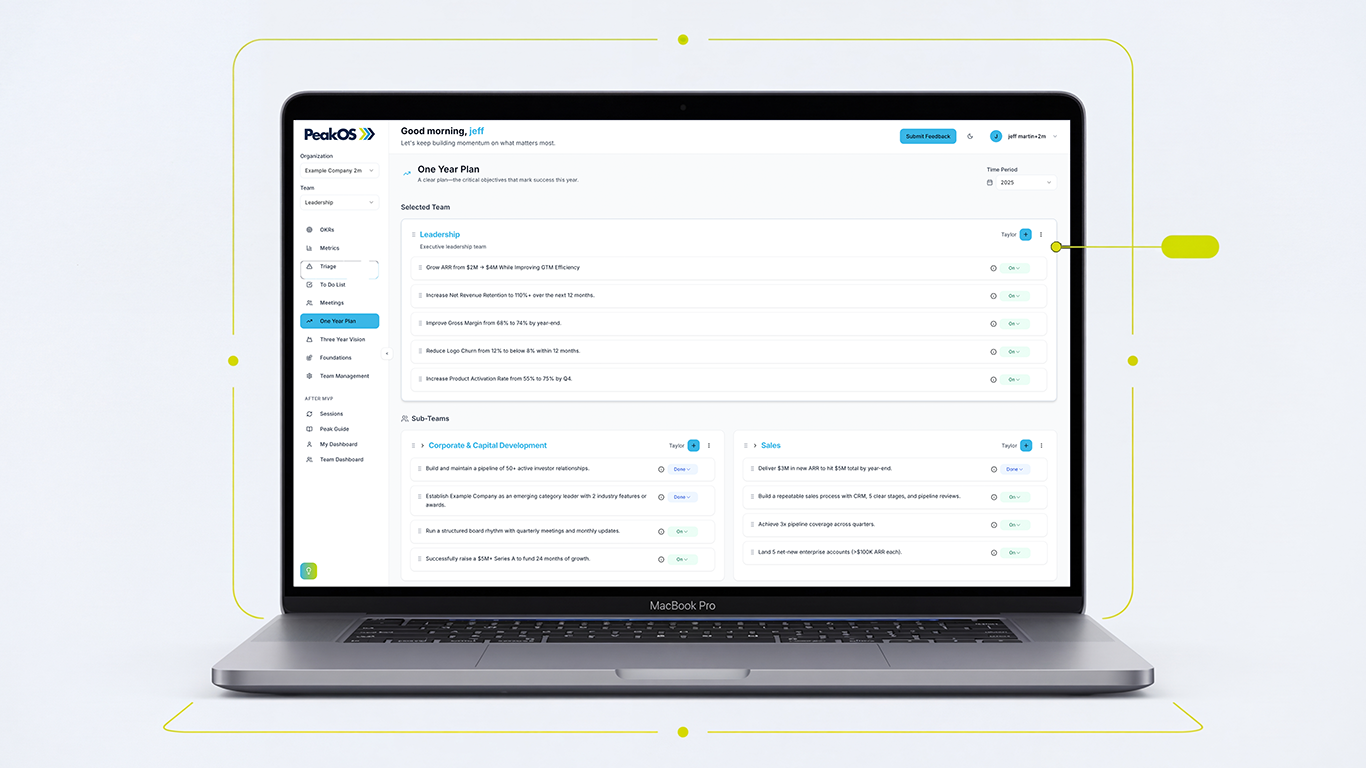
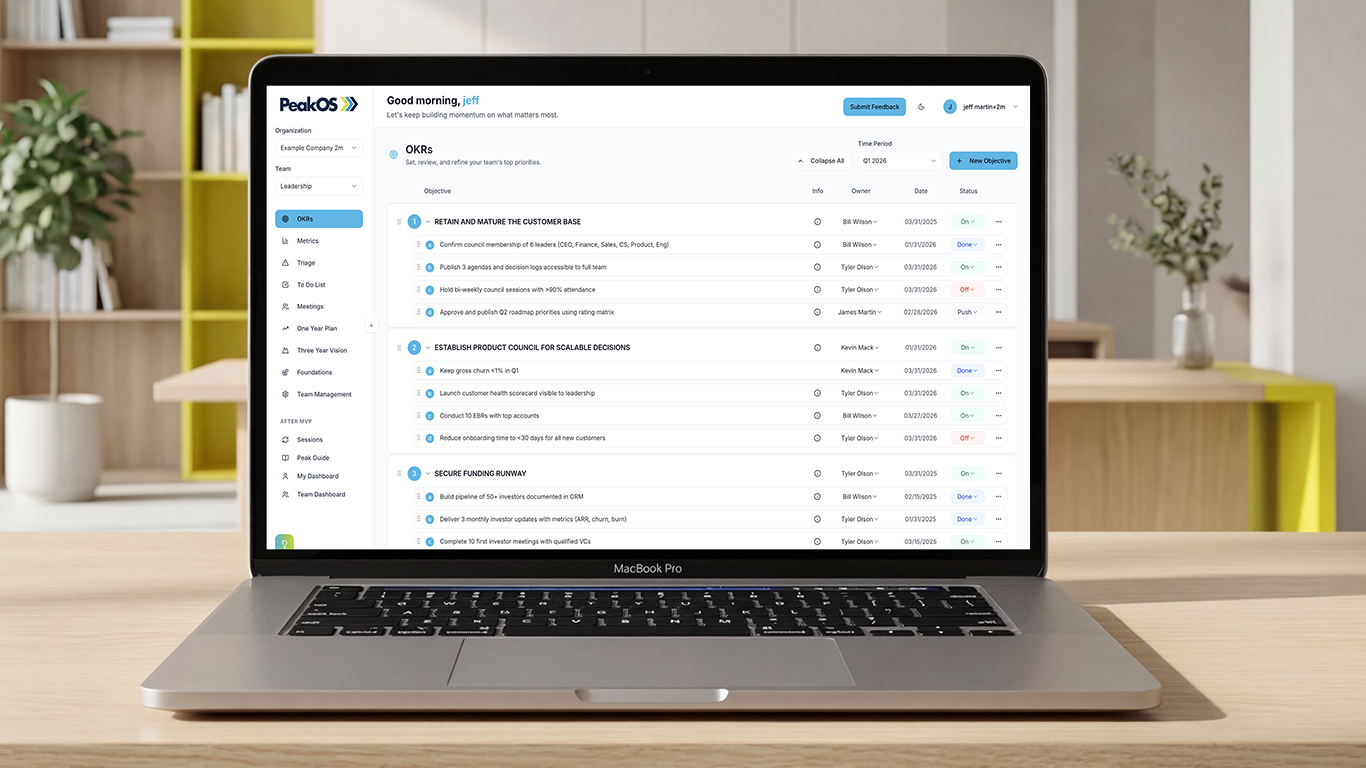
The One-Year Plan establishes the outcomes that matter. OKRs translate those outcomes into focused, measurable execution for the current quarter or half-year.
From direction to delivery
Peak OS keeps strategy practical by connecting the organization’s identity and annual priorities to current ownership, measurement, and execution.
Clarify purpose, principles, strategic context, and the boundaries that guide decisions.
Make the company’s most important annual outcomes and priorities explicit and visible.
Set measurable outcomes, owners, initiatives, and dependencies for what must move now.
Peak OS links the company’s foundations and annual plan to current-cycle OKRs, team commitments, and the weekly operating rhythm.
Meetings that drive execution
Peak OS combines business meeting software with metric reviews, issue triage, decision tracking, and accountable to-dos. Meetings become part of the operating system rather than a separate update process.
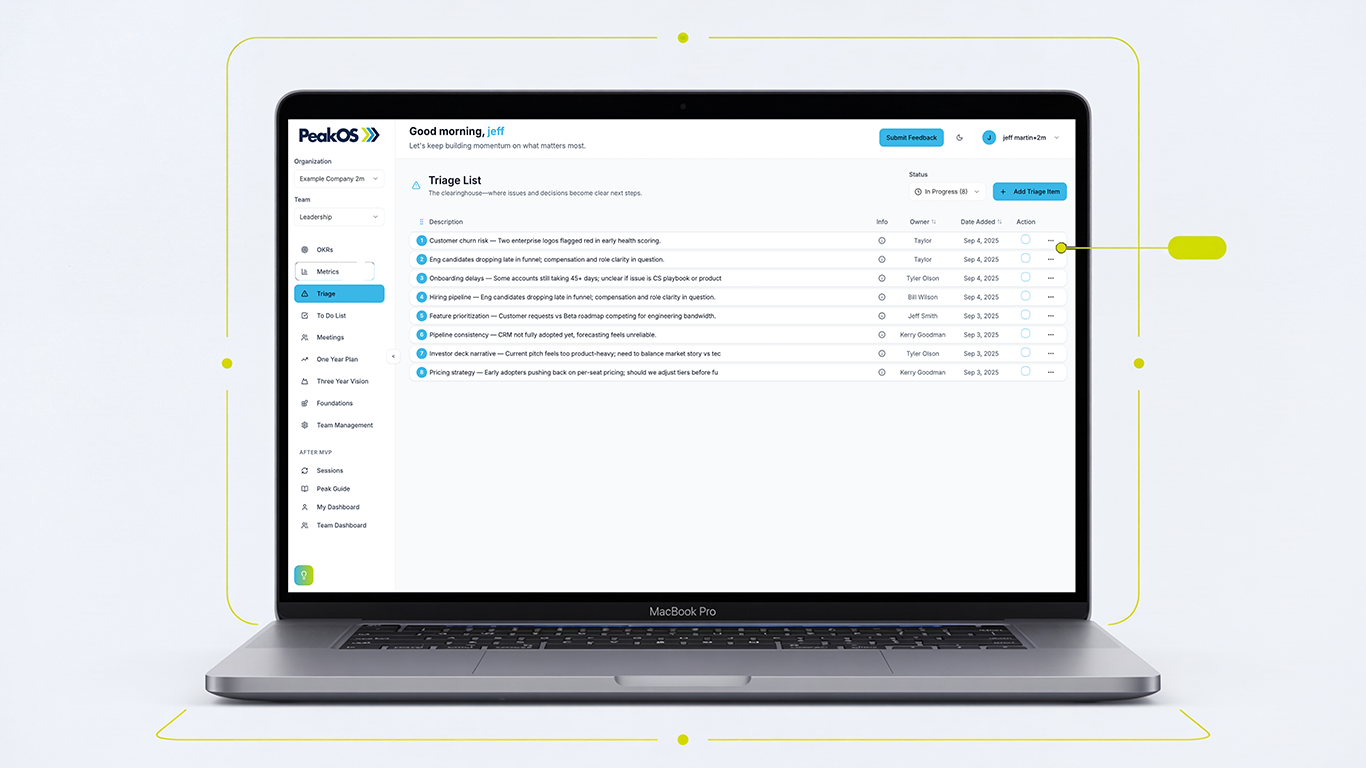
Triage helps teams focus on the issues that require shared attention, make decisions while context is available, and convert those decisions into owned action.
One operating rhythm
Replace disconnected status updates with a consistent meeting process that creates clarity, decisions, ownership, and momentum.
Bring current priorities, metrics, open actions, and emerging issues into the meeting before it begins.
Review OKRs, metrics, commitments, and progress against the organization’s priorities.
Surface the highest-value issues, make tradeoffs, and document the decision while context is shared.
Convert decisions into owned to-dos, due dates, and visible follow-through between meetings.
Peak OS links metrics, Triage, decisions, and to-dos so the meeting produces movement rather than another layer of administration.
Execution visibility and access
Peak OS creates one shared source of organizational execution information with role-appropriate views. Leaders can see across the company while teams stay focused on the priorities, measures, decisions, and actions they own.
One source of truth
Peak OS connects company-wide visibility without forcing every participant to navigate the same information or receive the same level of access.
Priorities, performance, risks, dependencies, and follow-through.
Owned priorities, metrics, meetings, issues, and actions.
Dependencies, joint objectives, decisions, and accountability.
Relevant information without unnecessary editing access.
Role-based organizational visibility
Replace scattered reporting and manual status collection with shared execution visibility built into the same system used to plan, meet, decide, and follow through.
See company priorities, metrics, risks, dependencies, and execution progress across teams.
Help each team understand its commitments, owners, measures, dependencies, and current progress.
Provide full, team-focused, or view-only access based on the participant’s responsibilities.
Manage teams, users, roles, ownership, and access as the organization changes and grows.
Peak OS connects team management, user management, roles, permissions, and view-only participation with the same operating system used to execute.
Why Peak OS is different
Peak OS connects company direction, team priorities, meetings, metrics, issues, decisions, actions, and accountability. It brings together capabilities that usually live across separate methodologies and software categories.
Traditional business operating systems often provide a strong leadership rhythm and a defined way to run the company.
OKR platforms are typically designed to create measurable objectives and track progress against key results.
Project-management software is strong for organizing detailed work, schedules, assignments, and project delivery.
Peak OS connects direction, goals, teams, meetings, metrics, decisions, and accountability across the organization.
Peak OS provides structure without forcing every company and team into one rigid method, cadence, or level of detail.
Adoption and pricing
You do not need to deploy Peak OS across the entire company on day one. Begin with the team, planning cycle, or execution challenge that matters most, then expand the operating system as adoption and complexity grow.
A practical adoption path
Peak OS can begin with a focused implementation and become the shared execution system for more teams over time.
Set up the essential structure and information needed to connect planning and execution.
Build a consistent operating cadence around the work the leadership team must drive.
Connect company priorities to the objectives, measures, meetings, and commitments of each team.
Refine planning cycles, meeting cadences, visibility, ownership, and coordination as needs change.
Peak OS is designed to support a focused launch, a leadership-team operating rhythm, or a broader organization-wide implementation.
Connected execution in practice
Peak OS is designed to connect organizational direction with the operating rhythm used to deliver it. The result is greater visibility into what matters, who owns it, how teams are coordinating, and where execution needs attention.
Give each team clearer context for what matters and how its commitments support the organization’s direction.
Bring priorities, metrics, issues, decisions, and actions into one repeatable meeting process.
See progress, performance, ownership, and cross-functional concerns before missed commitments become missed results.
Connect decisions to accountable owners, due dates, visible actions, and the next operating review.
Peak OS software FAQ
Peak OS sits between traditional business operating systems, OKR software, meeting tools, and project-management platforms. These answers explain where it fits and how organizations can use it.
A product demonstration can focus on your teams, planning cadence, current tools, and immediate execution needs.
Peak OS is organizational execution software and a flexible business operating system. It connects company direction, annual planning, OKRs, teams, meetings, metrics, issue triage, decisions, to-dos, and accountability in one shared platform.
OKRs are one part of Peak OS rather than the entire product. Peak OS connects objectives and key results to organizational foundations, the One-Year Plan, metrics, meetings, Triage, decisions, to-dos, teams, and the broader operating rhythm. This keeps goal management connected to how the organization actually executes.
No. Peak OS can begin with the leadership team, but it is built to support functional teams, operating teams, and cross-functional initiatives. Team structure, role-based access, and view-only participation allow the system to expand across the organization without giving every participant the same information or permissions.
Yes. Teams can use Peak OS as self-guided software or combine it with coach-supported implementation. Coaching can help with alignment, configuration, planning, facilitation, adoption, and expansion across teams, but it is not required to purchase and use the software.
Not necessarily. Peak OS is designed to manage organizational direction, priorities, outcomes, operating meetings, decisions, ownership, and accountability. Teams may continue using project-management software for detailed task workflows, schedules, technical delivery, or project documentation while using Peak OS as the shared organizational execution layer.
Peak OS can support annual, mid-year or semi-annual, quarterly, monthly, and weekly operating rhythms. Different teams can use the cadence appropriate for their work while remaining connected to shared company direction, priorities, measures, and accountability.
See how Peak OS can connect company direction, team priorities, meetings, metrics, decisions, and accountability in one shared organizational operating system.
Get research, practical frameworks, and insights on operating rhythm, leadership, alignment, organizational intelligence, and execution.

Get started today before this once in a lifetime opportunity expires.